





One of the biggest cultural shifts of the past decade has been our move toward remote work. In India, what started as a temporary jugaad during lockdowns has quietly transformed into a permanent lifestyle for millions of professionals; from Bengaluru’s tech hubs to Gurugram’s corporate offices.But while we’ve mastered the art of Zoom calls in crisp shirts and cozy pyjama bottoms, our bodies are paying the price. Long hours on laptops, poor posture, and makeshift desks are taking a toll on our body, making practical work from home tips for posture, movement, and ergonomics essential for staying pain-free and productive.
This guide provides some essential work from home tips in order to get you on a path towards arranging your own setup for optimal productivity and, more importantly, plowing through without any pain.
1. The Throne: Investing in Your Spine
If you decide to splurge, this is the place. In India, most of us end up using the old wooden dining chairs or plastic balcony chairs for work at home. They are fine for a 20-minute meal and disastrous for an eight-hour shift.
Why Your Current Chair is Killing Your Back ?
There are very few standard chairs that actually support the lumbar. Without that, your spine’s own natural “S” curve slumps down into a “C.” This creates a lot of pressure on your discs.
What to Look For:
- Adaptable Height: Your feet must lay flat on the floor and your knees should form a 90∘ angle.
- Lumbar Support:The most common cause of “WFH back” is a chair that forces your spine into a slumped position. To prevent this, your chair must have dedicated support that mimics the natural “S” curve of your lower back.This is where the betterhood Lumbar Support cushion steps in; designed with high-density memory foam, it provides consistent
- Armrests: They should not allow your shoulders to be shrugged up toward your ears.
2. The Golden Rule of Ergonomics: The 90. Angle
If you are looking for a minimum standard when it comes to computer ergonomic design, then the 90∘ rule is an absolute must-have.
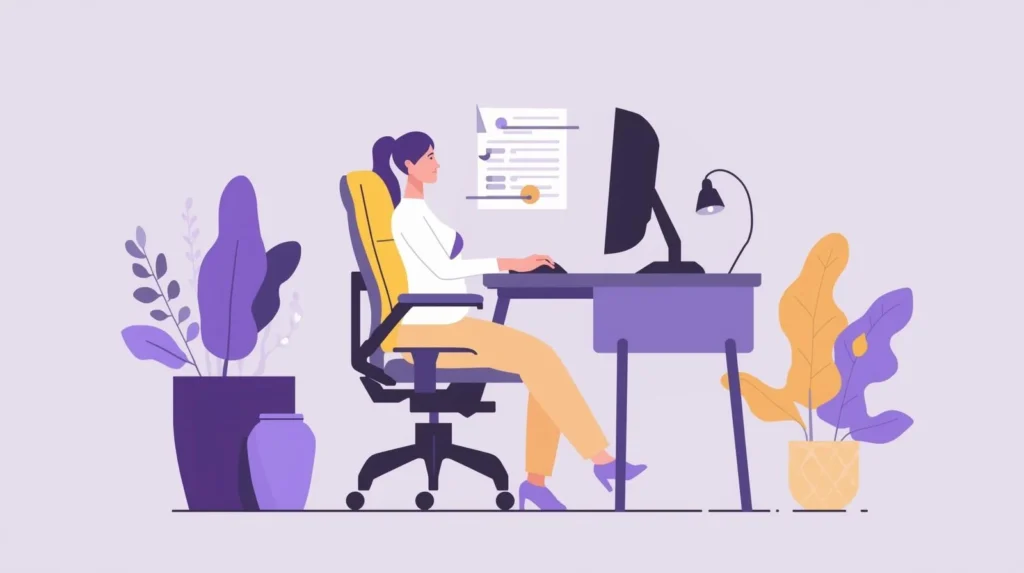
Ergonomics: fitting the workplace to the worker. The most important metric for anything when we’re discussing work-from-home tips is the angle of your joints. To prevent tension, strive for the ‘Triple 90’.
- Elbows: Bent at 90∘, with wrists neutral (not tilted up or down) while typing.
- Hips: Bent at 90∘, sitting all the way back in the chair.
- Knees: Bent at 90∘, with a small gap between the back of your knees and the seat.
Pro Tip: If you’re on the shorter side and your feet are dangling, don’t let them dangle! Use a footrest or your old Milton water crate so that you keep your feet flat on the ground. This prevents lower back strain.
3. Screen Alignment: Saving Your Neck
We joke that “Sarkari office” files just keep accumulating, but the way we arrange our screens today is no less cluttered and harmful. Most people are peering down into their laptops. This totals to 27kg of “effective weight” on your cervical spine.
The Eye-Level Fix
Your eyes should meet the top third of your screen.
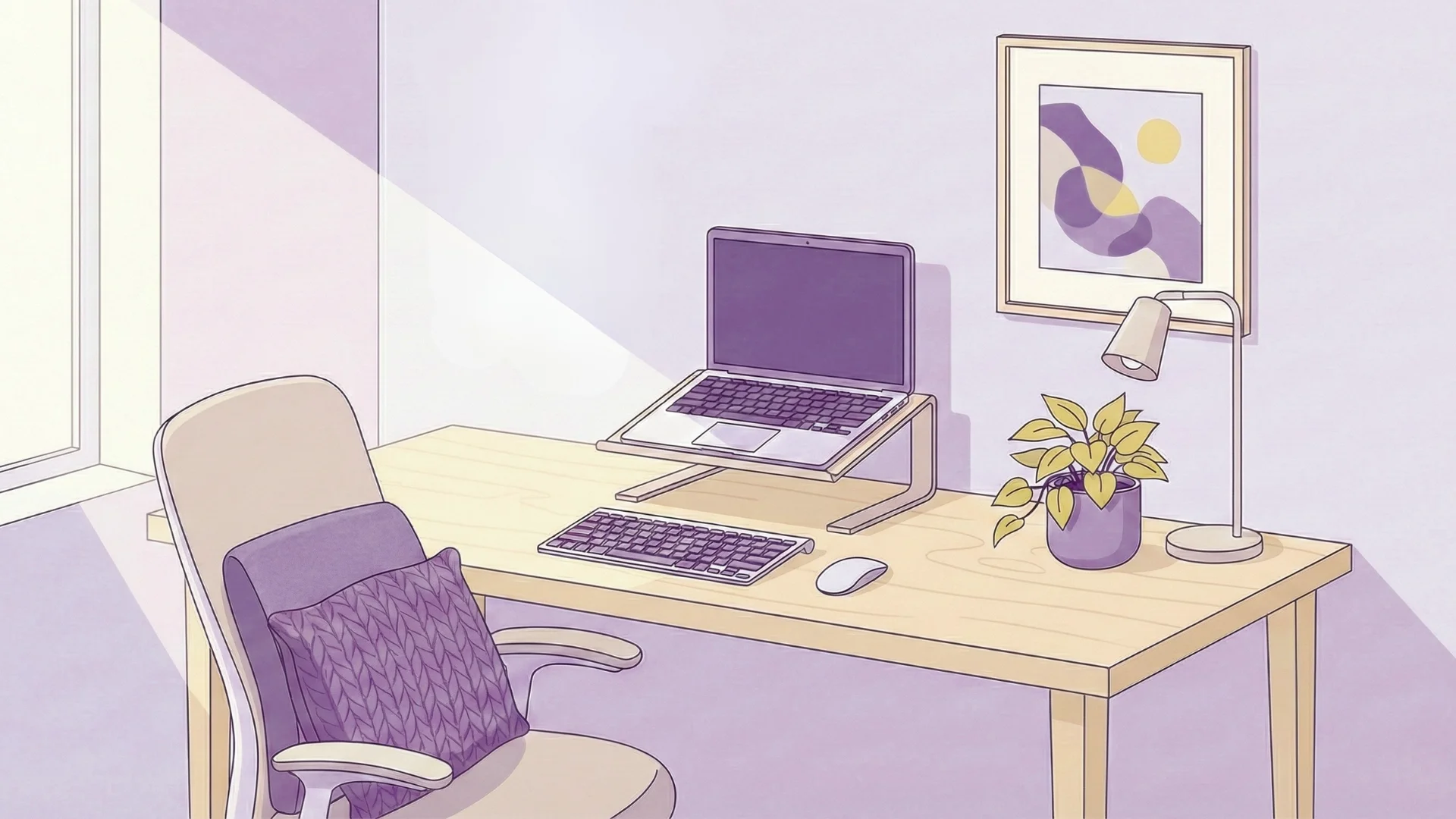
- If on a laptop: Purchase a laptop stand. You can keep it budget-friendly; a pile of your mom’s old India Today magazines or encyclopedias will do.
- External Peripheral: When you elevate your laptop, you won’t be able to type or click without travelling peripherals. If you’re typing directly on a laptop keyboard that’s propped up, the wrists will be in extension which can lead to Carpal Tunnel Syndrome.
4. Lighting: Beyond the Tube Light
In India, homes are commonly lit by a single stark white tube light or a central LED bulb. This creates two problems: glare on your screen and shadows on your paperwork. Both lead to eye strain and “Computer Vision Syndrome.”
Creating a Layered Lighting Scheme
- Positioning: Place your desk at right angles to a window. Never sit with a window directly behind you (it creates glare) or in front of you (you’ll be silhouetted during video calls).
- The Task Light: Splurge on a little desk lamp with warm white light. This directs the light where you want it without flooding the room.
- 20-20-20 Rule: To prevent eyestrain, every 20 minutes take a 20-second break and look at something 20 feet away. Maybe it’s a glimpse out onto the street, or at your potted Tulsi plant on the balcony, that allows your eye muscles to rest up.
5. Movement: The “Anti-Sedentary” Strategy
It doesn’t matter how expensive your fancy chair is, the human body was never meant tosit for eight hours at a stretch. The less you move, the more stagnant your blood becomes. One work-from-home tip that is vastly underrated is adding “micro-movements” throughout your day.
The “Chai Break” Evolution
In an office, you head to the water cooler or canteen. Home is a mere ten steps from the kitchen. You have to be intentional:
- Take calls while standing: If you aren’t looking at a screen, and your job allows for it, walk around the room while you talk on the phone.
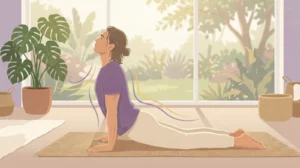
- Desktop Yoga: Do some gentle neck rolls and shoulder shrugs about once an hour, this can keep the muscles from locking up.
- Use the Pomodoro Technique: Work for 25 minutes, then stand up and stretch for five. This way, you keep your metabolism in gear, and you remain focused.
6. Managing the “Ghar” Environment: Sound and Space.
“Quiet” is a luxury in India. With the whistles of a pressure cooker, kids in my neighbour’s house and sometimes vegetable vendors shouting outside the window, deep work can feel impossible.
Acoustic Ergonomics
- Noise-Canceling Headphones: They are no longer a luxury; noise-cancelling headphones, which we have woven into our day to focus better.
- The “Door Policy”: If you have your own room, a closed door is natural all around. If you work in a shared space like the dining hall, create a physical marker (like a small desk flag or even wearing a particular cap) to show members of your family that “I am in deep work mode; please do not disturb unless the dal is burning.”
Decluttering Your Workspace for Focus
It’s said that a cluttered desk leads to a cluttered mind. At home, work stuff is likely to get jumbled up with nonwork things, a stack of electricity bills here, half-eaten biscuit packets there and a bunch of random keys.
- Zone Your Desk: Keep only what you need to work on your desk.
- Cable management: Keep the “snake pit” of chargers under your desk more organized with binder clips, or just basic velcro ties. And tripping over a wire’s not only a safety issue, it can drag your fancy laptop straight off the table.
The Mindset: Boundaries And ‘Log-Off’ Rituals
One of the most important work-from-home tips is learning when to call it quits. When your house is your office, you technically never “leave” work. This leads to burnout.
The “Commute” Replacement
Establish a ritual that signifies the end of the day. It could be:
- Switching out of your work clothes (if just swapping your T-shirt, for example).
- Closing up your laptop and placing it in a drawer or covering it with a cloth.
- A 10-minute walk in the evening or five minutes of prayer/meditation.
Physically putting away the tools of your trade lets your brain change from “1st Gear: Employee Mode” to “2nd Gear: Home Mode.”
Conclusion: Your Journey to a Sustainable “Work Life”
Creating a pain-free home office isn’t about spending a lakh of rupees on fancy gadgets; it’s about understanding the mechanics of your own body in space. By focusing on alignment, movement, and boundaries, you can stop remote work from being a literal pain in the neck and transform it into a high-performance lifestyle for the long haul.
At betterhood, we believe that wellness doesn’t have to be a struggle instead it should fit easily into your daily life. Whether through guided posture fixes ormindful movement tricks, we aim to help you close the gap between a hectic workday and a body that feels alive. Taking these work-at-home tips to heart will be an investment in preventing costly physiotherapy down the line..
Start small, perhaps elevate your laptop by a couple of inches today with the help of a stack of books before creating over time an environment that brings out the best in you. After all, your health is your greatest asset, and a well-aligned body is the ultimate foundation for a successful career.
So the next time you’re about to tackle that email, take a deep breath, roll those shoulders back and ask yourself: is your workspace working as hard for you as you are for it?
Explore More Health & Wellness Solutions:
Want to stay informed about wellness and everyday health issues? Here are some insightful reads to guide you. Explore the links below for practical tips and solutions.
- How to Prevent Knee Injuries: Proven Tips, and Lifestyle Strategies for Stronger Joints
- How Can Knee Cap Support Help Prevent Injury and Reduce Pain While Running
- 10 Effective Home Remedies for Body Pain Relief Naturally
- Mobility Exercises: Benefits, Techniques & Routines for Better Movement
Frequently Asked Questions
Employ lumbar support to keep your spine in its natural alignment and adhere to the Triple 90 rule (elbows, hips and knees at an angle of 90°). Get moving is one of the best work from home tips for keeping your back healthy.
While you do not need to buy an expensive setup, there are some must-have work from home tips. Elevate your laptop up to eye level with books, sit on a pillow for lower back support, and keep from slouching with the help of a foot rest: easy tweaks that can actually make all the difference.
Yes. Sitting too much cuts off circulation and tightens muscles. One of the top work from home tips is to be sure to make a point to stand up or walk for 5-10 minutes every hour in order to keep your body in action.
Adhere to the 20-20-20 rule: every 20 minutes, look up at least 20 feet away for at least 20 seconds. Dim lighting to work and avoid glare; home working tips to care for eyes.
Tech Neck occurs when you look down at screens, straining your neck. Elevate your screen to the height of your eyes to maintain a neutral neck—one of the best work from home tips for neck pain.
References
- Chim, J. M. Y., & Chen, T. L. (2023). Prediction of work from home and musculoskeletal discomfort: An investigation of ergonomic factors in work arrangements and home workstation setups using the COVID-19 experience. International Journal of Environmental Research and Public Health, 20(4), 3050.https://pubmed.ncbi.nlm.nih.gov/36833747/
- Davis, K. G., Kotowski, S. E., Daniel, D., Gerding, T., Naylor, J., & Syck, M. (2020). The home office: Ergonomic lessons from the “new normal”. Ergonomics in Design: The Quarterly of Human Factors Applications, 28(4), 4–10. https://doi.org/10.1177/1064804620937907
- Restaino, R. M., Holwerda, S. W., Credeur, D. P., Fadel, P. J., & Padilla, J. (2015). Impact of prolonged sitting on lower and upper limb micro- and macrovascular dilator function. Experimental Physiology, 100(7), 829–838. https://doi.org/10.1113/ep085238
- Yeom, H., Lim, J., Yoo, S. H., & Lee, W. (2014). A new posture-correcting system using a vector angle model for preventing forward head posture. Biotechnology & Biotechnological Equipment, 28(sup1), S6–S13.https://pubmed.ncbi.nlm.nih.gov/26019611/