




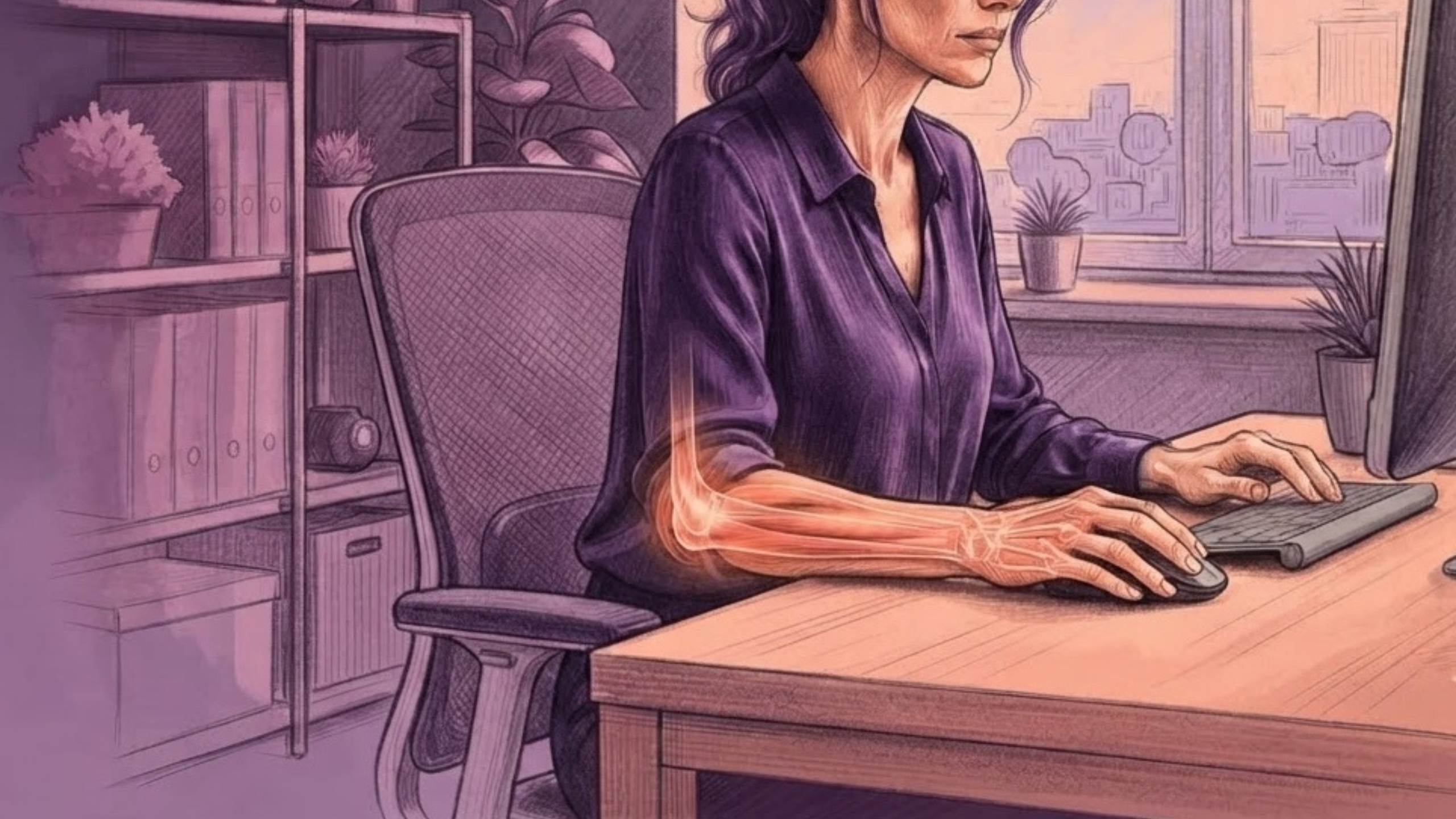
If you spend eight or more hours a day at a desk, you know the feeling. It usually starts around late afternoon: a persistent ache, tightness, or burning sensation creeping through your forearm, wrist, or elbow. Often dubbed “mouse arm” or associated with repetitive strain injury (RSI), mouse arm strain can affect many office workers, developers, typists, and corporate professionals daily. [1]
Ultimately, understanding why this discomfort occurs and taking proactive steps to manage it can help you modify aggravating habits before discomfort becomes more disruptive to your daily work.
Why Does My Forearm Hurt After Using a Mouse?
When you are deep in a project or pushing toward a late-afternoon deadline, it is easy to forget how much work your arms are actually doing. Meanwhile, as you focus on screen content, your forearm muscles and tendons are engaged in thousands of micro-movements, clicking, scrolling, typing, and continuously holding your hand in place. [1,3]
By the time 5 PM rolls around, several compounding factors can contribute to mouse arm strain, these include:
- Repetitive Movement Strain: Hours of continuous clicking and typing place repeated stress on the muscles and tendons of your forearm. Consequently, when there is little variation or time for recovery throughout the day, those tissues gradually become fatigued. [1,3]
- Sustained Postural Tension: If your hand stays on the mouse and your wrists barely change position for hours, your forearm flexors and extensors never get much of a chance to fully relax. Therefore, holding that static posture keeps the muscles working continuously. [3,4]
- Awkward Wrist Positioning: Bending your wrist upward or outward while typing or using a traditional mouse can increase strain on the muscles and tendons involved in computer work. Over time, this sustained positioning can contribute to irritation around the outer elbow (often called computer elbow or mouse elbow). [5]
- Accumulated Muscle Fatigue: Remaining in a static posture for prolonged periods reduces movement variability. As the hours pass without adequate breaks, localised muscle fatigue builds up, which is often what creates that distinct, hot, or tight sensation in the late afternoon. [1,3]
What Are the Early Signs of Mouse Arm?
However, discomfort rarely appears out of nowhere at the end of the day. Once you understand what contributes to the strain, the next step is recognising what your forearm is telling you before that end-of-day ache becomes your daily normal.
Watch out for these common early warning signs:
- Late-Day Dull Ache: Typically, a heavy, tired feeling in your lower arm or elbow that consistently develops toward the end of your shift. [1,3]
- Grip Fatigue: Additionally, subtle difficulty or awkwardness when holding a coffee mug, opening a jar, or lifting everyday objects after work. [5, 6]
- Elbow Tenderness: An aching feeling or localised tenderness around the outside or inside of your elbow, which can sometimes be associated with lateral epicondylitis (tennis elbow or golfer’s elbow) or general tendon overload. [5]
- Tightness or Burning: A hot, tight sensation along the top or bottom of your forearm after long stretches of typing or mouse use. [1,3]
How Can I Prevent Mouse Arm Strain From Desk Work?
Fortunately, you don’t have to wait until your forearm is already sore at 5 PM to manage mouse arm strain. Managing desk-related strain works best with a layered approach: adjusting your environment, building movement into your day, and using supportive gear when needed.
How Should I Set Up My Desk to Reduce Forearm Strain?
First and foremost, your workstation setup sets the baseline for how much strain your arms take on during the day and can play an important role in preventing mouse arm strain.
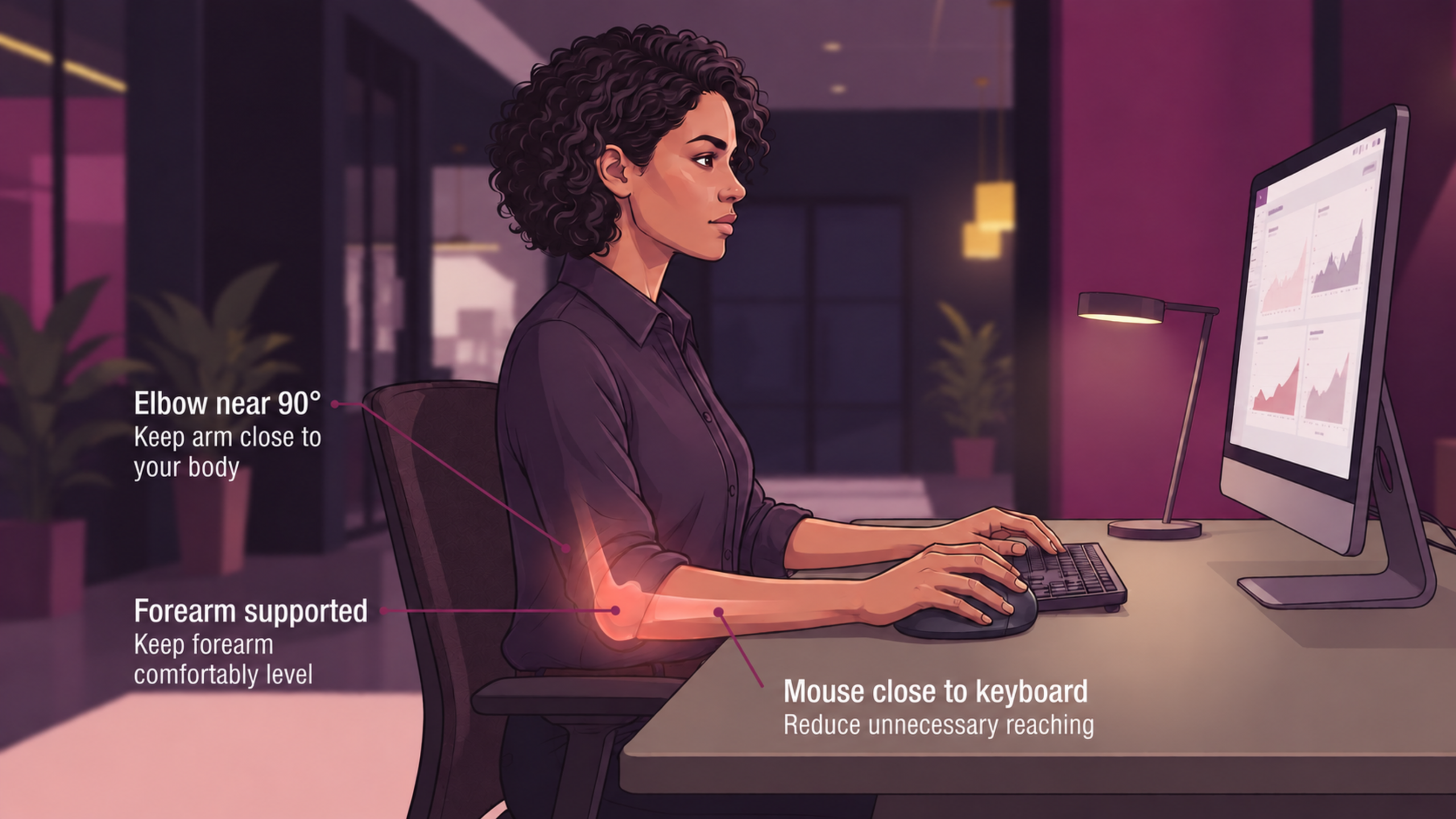
- Maintain a Neutral Wrist Angle: To begin, adjust your chair and desk height so your forearms rest comfortably parallel to the floor and your wrists stay relatively flat, rather than sharply bent upward or downward. [4]
- Consider an Ergonomic or Vertical Mouse: In fact, a vertical mouse allows your hand to rest in a more natural “handshake” position. This simple shift reduces pronation (twisting) of the forearm and can ease strain on the outer elbow during long scrolling sessions. [3, 5]
- Keep Your Reach Close: Additionally, position your mouse immediately next to your keyboard. Reaching outward for your mouse forces your shoulder, upper arm, and forearm muscles to stay engaged unnecessarily. [4]
How Often Should I Take Breaks From Typing and Mouse Use?
While fixing your desk setup is a great start, your forearms also need opportunities to rest and reset throughout the day. Therefore, instead of waiting until the end of the day to stretch, break up static posture as you work:
- Pause Periodically: Every 30 minutes or so, take a brief pause to drop your hands into your lap and let your arms dangle, allowing the muscles to let go of tension. [4]
- Step Away Briefly: Next, stand up or change your posture for a minute or two between tasks to encourage movement through your upper body.
- Simple Wrist Circles: Finally, rest your forearm on your desk and make slow, smooth circles with your wrist to maintain natural joint mobility throughout the afternoon. [7]
What Exercises Can Help With Mouse Arm Strain?
In addition, gentle exercises and stretches can help manage mild mouse arm strain and maintain flexibility in your forearms.
- Wrist Flexor & Extensor Stretches: First, extend one arm forward with your palm facing up or down, then gently use your other hand to draw your palm back until you feel a light stretch. Hold comfortably for 15–20 seconds.
- Eccentric Wrist Extension: Rest your forearm on a table with your palm facing down. Then, using a very light weight or no weight at all, slowly lower your hand downward before bringing it back up to build controlled tendon resilience.
- Finger Spreads: Finally, place a light rubber band around your fingers and thumb, then gently open your hand outward against the resistance to work the muscles that balance out constant gripping. [5, 7]
Note: Always perform movements gently and within a comfortable range. If any exercise causes sharp or worsening pain, stop immediately.
Can an Elbow Support Sleeve Help With Computer-Related Arm Discomfort?
For instance, even after improving your workstation and taking regular movement breaks, long days spent typing and scrolling can still leave your lower arms feeling fatigued. Therefore, good desk ergonomics and active breaks should always form your foundation. Moreover, when you are looking for additional support during long work shifts, utilising supportive options like a forearm compression sleeve for RSI pain or an elbow brace can naturally complement your routine.
Specifically, when repetitive computer use creates lingering strain around the elbow or upper forearm, an elbow sleeve offers a non-intrusive way to support your joint throughout the day. [5, 8]
This is where the Betterhood Elbow Support Sleeve fits into a modern corporate routine:
- Targeted Elbow Compression: First, it provides gentle compression and support around the elbow joint during repetitive mouse and keyboard movements.
- Support and Stability: Additionally, it offers extra stability to the joint during long working hours without restricting your natural arm movement.
- Lightweight & Breathable: Furthermore, it is crafted from breathable, moisture-wicking fabric with a flexible design, making it comfortable enough for extended daily wear.
- Workday-Friendly Design: Finally, it is designed to sit snugly without bulk, so it fits easily under long work sleeves without feeling restrictive while typing, writing, or navigating meetings.
You don’t need a bulky athletic brace that limits mobility at your desk. For desk professionals, software engineers, and typists, the Betterhood Elbow Support Sleeve serves as a lightweight, supportive accessory, giving your arm that extra layer of stability so you can navigate demanding work hours comfortably.
When Should I See a Doctor About Forearm Pain?
On the other hand, while mild muscle fatigue often responds well to rest, posture changes, and light support, persistent pain is a signal to seek professional care. Therefore, you should consult a doctor or physical therapist if you experience:
- For instance, persistent or worsening numbness or tingling in your fingers, hand, or arm.
- Also, sharp, severe pain or discomfort that wakes you up at night.
- Visible swelling, redness, or heat around your elbow or wrist joints.
- Progressive weakness or a noticeable loss of grip strength.
- Symptoms that develop following a direct physical injury. [5, 6]
Why does mouse arm strain cause forearm pain?
What can cause a sore arm from desk work?
Arm and elbow soreness typically results from continuous muscle fatigue caused by prolonged static postures, repetitive mouse movements, poor equipment positioning, and awkward wrist angles. [1]
Why does my forearm hurt after using the mouse?
Continuous, static mouse use without breaks causes repeated finger and wrist activation, leading to muscle fatigue and strain in the forearm and outer elbow. [1]
Does mouse arm syndrome go away?
Mild mouse arm discomfort often improves over time with workstation adjustments, movement breaks, gentle stretches, and supportive habits, though persistent or worsening pain requires evaluation by a healthcare professional. [5, 6]
Why do my forearm muscles burn?
A burning sensation in the forearm toward the end of the day is typically caused by muscle fatigue from sustained, continuous use without enough rest. [3]
Summary
Managing mouse arm discomfort doesn’t require overhauling your entire routine overnight. Instead, by making small adjustments to your posture, taking regular movement breaks, practising gentle stretches, and incorporating optional joint support like the Betterhood Elbow Support Sleeve, you can protect your arms and put an end to the 5 PM burn.
REFERENCES
- Harrington JM, Carter JT, Birrell L, Gompertz D. Surveillance case definitions for work-related upper limb pain syndromes. Occup Environ Med. 1998;55(4):264-271. Available from: https://doi.org/10.1136/oem.55.4.264
- Kryger AI, Andersen JH, Lassen CF, Brandt LPA, Vilstrup I, Overgaard E, Thomsen JF, Mikkelsen S. Does computer use pose an occupational hazard for forearm pain; from the NUDATA study. Occup Environ Med. 2003;60(11):e14. Available from: https://doi.org/10.1136/oem.60.11.e14
- BLACKROLL. Mouse Arm & RSI Syndrome: Symptoms, Causes & Stretches. BLACKROLL Health Library. Updated 2023. Available from: https://blackroll.com/eu/en/article/mouse-arm-rsi-syndrome
- Occupational Safety and Health Administration (OSHA). Workstation Components: Keyboards and Pointing Devices. U.S. Department of Labor. Computer Workstations eTool. Available from: https://www.osha.gov/etools/computer-workstations/components/keyboards
- Johns Hopkins Medicine. Lateral Epicondylitis (Tennis Elbow). Johns Hopkins Health Conditions Library. Reviewed December 18, 2025. Available from: https://www.hopkinsmedicine.org/health/conditions-and-diseases/lateral-epicondylitis-tennis-elbow
- Sword Health. Forearm Pain: Causes, Relief, and Prevention. Care Explorer Guide. Updated 2024. Available from: https://swordhealth.com/care-explorer/forearm-pain
- Northwell Health Orthopaedic Institute. Tips to Prevent “Computer Elbow” and Upper Extremity Strain. Expert Insights. Updated 2023. Available from: https://www.northwell.edu/orthopaedic-institute/specialties/shoulder-elbow/expert-insights/tips-to-prevent-computer-elbow
- Betterhood. Elbow Support Sleeve Product Specifications. Official Product Store. Available from: https://shop.betterhood.in/products/elbow-support-sleeve


